03/05/2026 – Version: 2026.061.10248
Error correction
- H-REPORT: Under certain circumstances, the cases in the completed edit list were displayed with the color red instead of the usual green.
- H-REPORT: If a category was inactive, blank pages were created for the sub-elements in a report.
02/19/2026 – Version: 2026.040.10841
Error correction
- H-REPORT: In French and Italian, the names of the consequences in the CIRS Overall Evaluation report were not displayed correctly.
- H-REPORT: Not all configurable columns of the edit list have been dragged into the Excel file.
01/22/2026 – Version: 2026.012.12451
Error correction
- H-REPORT: When deleting the only group assigned to a user account, the Everyone group was not automatically added, which meant that the affected users were no longer displayed to the user administrator.
12/18/2025 – Version: 2025.343.14071
Error correction
- H-CIRS: The warning triangle in the Status column was not displayed correctly under certain conditions.
12/04/2025 – Version: 2025.331.18850
New
- H-REPORT: The password reset message has been adapted and made multilingual.
- H-REPORT: The system now prevents the use of passwords known in data leaks.
- H-REPORT: Passwords are now checked for clearly defined rules (length, upper/lower case letters, numbers, special characters).
- H-CIRS: Configuration by newwin: A risk assessment can be made on the case, which is displayed in the report “CIRS Overall Evaluation” on the last page.

- H-FEEDBACK: Questionnaire administrators can define a period of time per questionnaire after closed cases are automatically deleted.
- H-FEEDBACK: Questionnaire administrators can set per questionnaire whether editors can delete cases or not.
- H-FEEDBACK: The global list of measures has been expanded to include the column “Questionnaire”. This shows which questionnaire the measure belongs to.
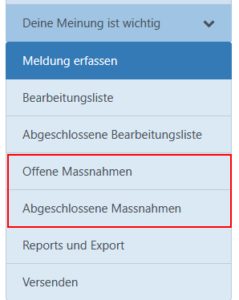
- H-FEEDBACK: The open and completed measures are now also displayed in the menu under the corresponding questionnaire.

- H-FEEDBACK: Open questions with an input field can be marked as mandatory for reporters or processors.
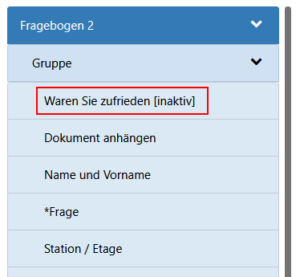
- H-FEEDBACK: The questionnaire administrator will see deactivated questions as inactive.

- H-AGGRESSION: Configuration by newwin: Processors receive a notification if cases assigned to them have been new in status for a period of time to be defined by the customer.
Error correction
- H-CIRS: In the report and case expression, HTML codes that were contained in the category title have been removed.
10/30/2025 – Version: 2025.296.11099
New
- H-FEEDBACK: Questionnaire administrators can store a pre-filled value on the questions so that the value is already set on the entry form.
Error correction
- H-CIRS: In case processing, not all fields had the same processing status.
- H-FEEDBACK: Links to forms that were generated incorrectly in specific cases have been fixed.
- H-FEEDBACK: When adapting a questionnaire, you stick to the question you have worked on and do not skip to the beginning as before.
10/02/2025 – Version: 2025.262.10289
New
- H-CIRS: Configuration by new-win: It can be set that only closed cases are displayed on the public case list.
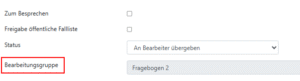
- H-FEEDBACK: The assignment label has been replaced by Edit Group.

09/11/2025 – Version: 2025.247.11026
Error correction
- H-FEEDBACK: Under certain circumstances, when assigning a case, the History Log entry could not be written.
08/28/2025 – Version: 2025.232.19002
New
- H-CIRS: To make it easier to understand, the message that appears when a user wants to open a case without authorization, for example after a move to another reporting circle, has been adjusted.
- H-IDEA: Configuration by new-win: The responsible person is informed by e-mail when a comment is entered by an editor on a case.
07/31/2025 – Version: 2025.209.65415
Error correction
- H-CIRS: Under certain circumstances, the event location could not be selected in the reports.
- H-FEEDBACK: The color coding of the questionnaires in the global edit list was not displayed correctly.
07/10/2025 – Version: 2025.185.64160
New
- H-CIRS: New columns are displayed per case on the Excel export.
Initial processing: Time difference in hours from the status change “new” to “in progress”.
Processing time: Time difference in hours between the receipt of the report and the completion of the report.
Recording of measures: Time difference in hours from receipt of the report to the recording of the first action. - H-CIRS: The following new key figures are displayed in the CIRS Key Figures report:
Average value initial processing: Time difference in hours from the status change “new” to “in progress”.
Initial processing within 3 days: Percentage of cases that changed from “new” to “in progress” within 72 hours.
Average processing time: Time difference in hours between the receipt of the report and the completion of the report.
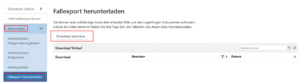
Average values for recording measures: Time difference in hours from receipt of the report to the recording of the first action. - H-CIRS: H-CIRS Master Data Administrators can request an export of all case data so that cases can be archived locally.

- H-IDEA: A third decision option “Deferred” has been added so that cases can be assessed and/or implemented at a later date.
Error correction
- H-CIRS: In the French and Italian translations, the title “Consequences” was not translated.
- H-FEEDBACK: The status of the questionnaire was not always displayed correctly.
06/05/2025 – Version: 2025.148.62338
New
- H-CIRS: Inactive organizations and categories are no longer displayed in the reports if they do not contain any data.
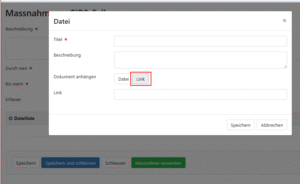
- H-CIRS/H-FEEDBACK/H-IDEE: In a measure, new links can be added.

- H-FEEDBACK: For a new questionnaire, the categorization tree can be taken over from an existing questionnaire.


05/15/2025 – Version: 2025.125.60818
New
-
- H-CIRS: The newsletter can now also display the location of the event, if it is available.
Error correction
-
- H-CIRS: The link to the CIRRNET decision support for case processing has been adjusted.
- H-FEEDBACK: The Excel export was not visible with a certain role assignment.
- H-FEEDBACK: Editors without rights to a questionnaire received a notification when an action on the questionnaire was completed.
04/03/2025 – Version: 2025.080.58912
New
-
- H-CIRS: Configuration via new-win: The columns of the following lists can be configured. (To the manual)
– H-CIRS / Edit List
– H-CIRS / Edit List / Crash
Edit List- H-CIRS / Edit List / Completed Edit List
– H-CIRS / Advanced Search - H-CIRS: The role titles have been translated into French and Italian.
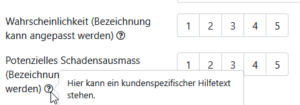
- H-CIRS: Configuration via new-win: In the case of severity, severity – frequency and severity – impact, an auxiliary text can be stored to give the reporter more information. (To the manual)

- H-FEEDBACK: The Status column has been added under Editing the questionnaires to have a better overview of the status of the questionnaires.

- H-FEEDBACK: The role titles have been translated into French.
- H-FEEDBACK: In the public case lists, the name of the questionnaire is displayed.

- H-FEEDBACK: The questionnaire administrator can define for the question open question with input field that the field will be anonymized after completion. (To the manual)

- H-VIGILANCE: The role names have been translated into French and Italian.
- H-CIRS: Configuration via new-win: The columns of the following lists can be configured. (To the manual)


03/10/2025 – Version: 2025.069.58320
Error correction
-
- H-CIRS: In certain cases, a message could not be assigned to an organization due to mandatory field restrictions.
03/06/2025 – Revision: 2025.057.57762
New
-
- H-CIRS: Configuration via new-win: If a case is completely closed, the activated contact fields will be anonymized if this configuration is active.

- H-CIRS: The function to delete cases while retaining the statistical data has been removed.
- H-FEEDBACK: The menu items Evaluation and Reports have been combined into one menu item Reports and Export. (To the manual)
- H-FEEDBACK: The reports Number of Feedbacks and Number of Feedbacks over Years have been merged into one Report Number of Feedbacks .
- H-FEEDBACK: The filter functions for the report and Excel export have been extended.

- H-FEEDBACK: The group concept has been revised: (To the manual)
– The group H-FEEDBACK questionnaire administrator can create, edit and administer questionnaires.
– The H-FEEDBACK Responsible group no longer has administrative rights for the questionnaires. - H-FEEDBACK: Usability has been simplified:
– The questionnaires can now be edited by clicking on the questionnaire. (To the manual)
– The publication and overview of the questionnaire is now in the hamburger menu. (To the manual)
– The menu item Administration Questionnaire has been removed, administration is done via the hamburger menu. (To the manual)

- H-CIRS: Configuration via new-win: If a case is completely closed, the activated contact fields will be anonymized if this configuration is active.


Error correction
-
- H-CIRS: Fixed a bug that made it possible to report cases on an inactive reporting circle when a pre-selection was submitted to the registration form.
- H-CIRS: The mandatory fields for selecting the reporting group are now also taken into account when moving or assigning a case.
- H-VIGILANCE: The mandatory fields for selecting the reporting circle are now also taken into account when moving or assigning a case.
- H-IDEA: The simple categorization could not be edited.
09.01.2025 – Version: 2024.355.54591
New
-
- H-VIGILANZ Hämo: The form has been adapted in accordance with Swissmedic’s changes as of 1.1.2025
- H-VIGILANZ Near Miss: The form has been adapted according to the changes as of 1.1.2025 by Swissmedic
21.11.2024 – Version: 2024.323.52630
New
-
- H-CIRS: Configuration via new-win: When a message is transferred to another reporting circuit, the persons responsible can now also be notified.
Error correction
-
- H-CIRS: The cases on the list of cached cases could not be opened via the URL.
- H-CIRS: Under certain circumstances, not all event locations were displayed in the drop-down list.
31.10.2024 – Version: 2024.295.51424
New
-
- H-CIRS: Event locations can be stored for each location. The activation is carried out by the new-win service desk(To the manual).
Error correction
-
- H-CIRS: The filterfunction on the reports and the advanced search did not work correctly under certain circumstances correctly.
27.09.2024 – Version: 2024.270.50144
New
-
- H-FEEDBACK: The individual question types in the drop-down list have been translated
- H-FEEDBACK: The new online version of the manual is available in French translation
into French
Error correction
-
- H-FEEDBACK: Filter for questions from the questionnaire on the processing list corrected
05.09.2024 – Version: 2024.242.48661
New
-
- H-CIRS: The names of the reports have been adapted(To the manual)

- H-CIRS: The filter function for the reports has been extended(To the manual)

- H-CIRS: The master data administrator can set up a structure for consequences(to the manual)

- H-FEEDBACK: It is now possible to view the e-mail history including the content of the e-mails in the case centrally

- H-FEEDBACK: Case postponements can be newly justified. The justification is displayed in the HistoryLog

- H-IDEE: A description option has been added to the evaluation function. This can be stored by new-win(To the manual)

- H-VIGILANCE: All manuals are available in the new online version in French and Italian translation
- H-CIRS: The names of the reports have been adapted(To the manual)


Error correction
-
- H-FEEDBACK: The processing groups were not sorted alphabetically if no sorting was done
- H-VIGILANCE Hemo: The fields for laboratory values were not automatically blocked if the checkbox for “n.d. = not performed” was activated
20.08.2024 – Version: 2024.229.48225
Error correction
-
- H-REPORT: Button behavior “Login via SSO” adjusted
- H-FEEDBACK: Import function with subquestions corrected
12.07.2024 – Version: 2024.192.46453
New
-
- H-CIRS: Configuration via new-win: Processor can complete
- H-CIRS: Configuration via new-win: Closed cases can be processed
cases completely
04.07.2024 – Version: 2024.180.46058
New
-
- H-FEEDBACK: In the evaluations, the case number is displayed with the free text answers
Error correction
-
- H-REPORT: The date columns were not displayed correctly in the Excel export
27.06.2024 – Version: 2024.170.45378
New
-
- H-REPORT: User administrators have direct access to the “User administration” manual via the settings

- H-REPORT: The names of the file names and table titles in the Excel exports have been adjusted
- H-REPORT: The column width in the Excel exports has been adjusted so that they do not exceed the screen width
- H-REPORT: The drop-down field “Event location” in the messages is now a search field
- H-CIRS: The processing of closed cases is only possible after the cases have been reactivated. Sending to CIRRNET and placing it on the public case list is still possible
- H-CIRS: Configuration via newwin: Public case lists can be authorized globally without organizational restrictions
- H-FEEDBACK: The questionnaire can be configured so that all cases are automatically closed after case receipt
- H-FEEDBACK: Assignment to an agent group can be made automatically based on the response entered(To the manual)
- H-FEEDBACK: When saving a case temporarily, the case remains open so that you can continue without having to reopen the form via the link
- H-REPORT: User administrators have direct access to the “User administration” manual via the settings

-
- H-IDEE: Configuration via newwin: Ideas can now be evaluated to make a decision easier(To the manual)

- H-IDEE: The column with the information on the detector has been integrated into the Excel export

- H-AGGRESSION: Configuration via newwin: Persons responsible and processors can no longer edit the messages so that data cannot be manipulated
- H-VIGILANCE: Cases that have already been submitted to Swissmedic can no longer be deleted by default
- H-VIGILANZ Hämo: When saving a case temporarily, the case remains open so that you can continue without having to reopen the form via the link
- H-VIGILANZ Pharmako: When saving a case temporarily, the case remains open so that you can continue without having to reopen the form via the link
- H-IDEE: Configuration via newwin: Ideas can now be evaluated to make a decision easier(To the manual)


16.05.2024 – Version: 2024.127.43994
New
-
- H-REPORT: The release notes can now be accessed from the application via the question mark

- H-CIRS: Configuration via newwin: When the processor closes the case, it is also closed for the person responsible
- H-FEEDBACK: Columns from the questionnaire can be displayed on the processing list

- H-IDEE: Those responsible and processors can specify and thus see whether an accepted idea has been implemented

- H-REPORT: The release notes can now be accessed from the application via the question mark


Error correction
-
- H-IDEE: The measures tab was missing on the Excel export
30.04.2024 – Version: 2024.117.43733
Error correction
-
- H-CIRS: The presentation of the public case list has been corrected
25.04.2024 – Version: 2024.103.42959
New
-
- H-REPORT: When attaching a document, the file name is automatically transferred to the title

- H-CIRS: In the Excel export, the organizational structure (hospital, reporting area, department) is now also displayed on the “Measures” worksheet, which is already available on the “CIRS” worksheet
- H-CIRS: Superfluous reports have been removed
- H-FEEDBACK: The person responsible can configure on the questionnaire that when the processor closes the case, it is also closed for the person responsible

- H-VIGILANZ Hämo: The designations at the end of case registration have been clarified

- H-VIGILANCE Haemo: To ensure that sufficient information is available for subsequent processing, the following fields must now be completed before a case can be temporarily saved:
– date
– time
– at least one blood product

- H-VIGILANZ Hämo: As the person entering the data, I receive a clear instruction when caching a case

- H-VIGILANZ Pharmako: The designations at the end of case registration have been clarified

- H-VIGILANZ Pharmako: As the person entering the data, I receive clear instructions when caching a case

- H-REPORT: When attaching a document, the file name is automatically transferred to the title


Error correction
-
- H-FEEDBACK: Under certain circumstances, the e-mail addresses in the To and CC fields have doubled when sending a message
- H-FEEDBACK: Deactivated answer options are no longer displayed in the recording
- H-IDEE: If the case title is set on a new notification, the status of the case remains on “New” instead of “In process”
- H-IDEE: An incorrect text was displayed when closing an idea without a decision
28.03.2024 – Version: 2024.082.41736
Error correction
-
- H-CIRS: After changing from a CIRS to a non-CIRS case, the categories were not displayed correctly in the Excel export under certain circumstances
- H-FEEDBACK: With a certain configuration of the questionnaires, the evaluations could no longer be called up
21.03.2024 – Version: 2024.061.40915
New
-
- H-REPORT: Inactive organizational structures are displayed to the user administrator when assigning authorizations

- H-CIRS: The person who recorded the measure is now displayed for the case handlers

- H-CIRS: Display of information that the case creator can no longer view the closed case via the ShortURL
- H-CIRS: Display of information that the forwarded case can no longer be viewed via the link in the e-mail once the case has been closed
- H-CIRS: The case recipient without their own login must enter their name when commenting (mandatory field)

- H-CIRS: On the public case list, the “Measures” field of cases in process remains empty if no measures are recorded
- H-FEEDBACK: The measure recipient can open the case directly from a measure

- H-FEEDBACK: The person who recorded the measure is now displayed for the case handlers

- H-FEEDBACK: The trap recipient without their own login must enter their name when commenting (mandatory field)

- H-FEEDBACK: The questionnaires can be marked with a color code so that the cases can be assigned more easily in the global processing list

- H-FEEDBACK: The categorization can be created or adapted by the person responsible for each questionnaire
- H-FEEDBACK: Question groups can be shown or hidden based on an answer
- H-FEEDBACK: For the purpose of anonymization, those responsible can define free text fields as visible only to a specific group
- H-FEEDBACK: When a case is closed, the recorded case is sent to the person who recorded it as a PDF in the e-mail notification
- H-FEEDBACK: Questions that have never been answered are displayed in the report as an empty graphic
- H-FEEDBACK: The name of the questionnaire and the logo of the client (if available) are displayed on the evaluation for those responsible and those processing it

- H-FEEDBACK: On the public case list, the “Measures” field of cases in process remains empty if no measures are recorded
- H-FEEDBACK: Display of information that the forwarded case can no longer be viewed via the link in the e-mail once the case has been closed
- H-VIGILANCE: Configuration via newwin: The following users can receive a copy of the notification to Swissmedic:
- Sender of the report
- Contact person from organisational structure
- Responsible
- processor
- H-VIGILANCE: Configuration via newwin: The following users can receive a copy of the reply from Swissmedic:
- Sender of the message
- Contact person from organisational structure
- Responsible
- processor
- H-VIGILANCE: The person who entered the measure is now displayed for the case handlers

- H-VIGILANCE: The “Comment” field has been renamed “Comment on case processing” to make it easier to understand
- H-VIGILANCE: The person responsible can see in the history log to which CC recipients a message has been forwarded
- H-VIGILANZ: Those responsible can request an export of all case data so that the cases can be archived locally
- H-VIGILANCE: The Excel export has been supplemented with the Measures column and the Measures worksheet
- H-IDEE: The person who recorded the measure is displayed for the case handlers

- H-IDEE: The trap recipient must enter their name when commenting (mandatory field)

- H-IDEE: On the public case list, the “Measures” field of cases in process remains empty if no measures are recorded
- H-IDEE: Display of information that the forwarded case can no longer be viewed via the link in the e-mail once the case has been closed
- H-AGGRESSION: Display of information that the forwarded case can no longer be viewed via the link in the e-mail once the case is closed
- H-REPORT: Inactive organizational structures are displayed to the user administrator when assigning authorizations


Error correction
-
- H-FEEDBACK: The performance when opening the edit list was insufficient
- H-FEEDBACK: The print version of the messages has been optimized so that more responses are displayed on one page
- H-FEEDBACK: The questions were not displayed on the printout in the same order as they were created on the questionnaire
22.02.2024 – Version: 2024.039.39702
Error correction
- H-FEEDBACK: Cached cases were not correctly assigned
- H-AGGRESSION: Although fields were marked as mandatory fields, they could be left empty
to the editing group
25.01.2024 – Version: 2024.025.39100
Error correction
- H-IDEE: In the reports, the number of cases was not counted correctly under certain circumstances
18.01.2024 – Version: 2024.009.38170
New
- H-CIRS: The responsible persons are shown in the history log to which CC recipients a message has been forwarded
- H-CIRS: As a case handler, I am shown a link with the criteria for forwarding CIRRNET

- H-CIRS: The CIRS administrator can configure that a text box is displayed at the event location for a specific selection

- H-VIGILANZ Hämo: Configuration via newwin: Those responsible are notified by e-mail when a message has been temporarily stored
- H-VIGILANZ Pharmako: Configuration via newwin: responsible persons are notified by e-mail when a message has been temporarily saved
- H-FEEDBACK: A dividing line appears in the Measures column on the public case list if there are several comments
- H-FEEDBACK: Feedback managers and processors can evaluate the reports for each questionnaire
- H-FEEDBACK: The menu item Evaluate has been merged with Extended evaluation
- H-FEEDBACK: The responsible persons are shown in the history log to which CC recipients a message has been forwarded
- H-IDEE: The responsible persons are shown in the history log to which CC recipients a message has been forwarded


Error corrections
- H-CIRS: Incorrect action link has been corrected
- H-CIRS: Under certain conditions, the categorization was not displayed in the case processing.
- H-FEEDBACK: When sending measures, the case number is displayed correctly
07.12.2023 – Version: 2023.332.36982
New
- H-CIRS: Configuration via newwin: Name of person responsible for measures (“By whom”) can be hidden on public case list
- H-FEEDBACK: Cases can be saved temporarily during entry so that they can be sent at a later date.
- H-FEEDBACK: Logic for required fields in multiple choice questions

- H-FEEDBACK: “Notify observer” configuration can be set for each questionnaire.
- H-FEEDBACK: Notification of measure completion can be set for each questionnaire.

- H-FEEDBACK: Number of received and skipped answers are displayed in the evaluation per question.

- H-IDEE: Configuration via newwin: Notification on completion of measures.
- H-IDEE: Cases that have already been assigned can be assigned to another processing area.
- H-IDEE: Configuration via newwin: Automatic confirmation of receipt can be sent to idea creators.
- H-VIGILANCE Materiovigilance: New version of the Materiovigilance form has been added (The changes concern the terminology used. No additional fields have been added).
- H-VIGILANCE Hemovigilance and pharmacovigilance: When caching a case, at least the name must be filled.


Error corrections
- H-AGGRESSION: Reports are displayed correctly if HTML code has been used to format the categorization tree.
- H-VIGILANCE Pharmacovigilance: Special characters are removed for ELVIS exports that are not supported by the Swissmedic system.
23.11.2023 – Version: 2023.320.36354
Error corrections
- H-CIRS: Reactivated cases could not be completed correctly.
- H-CIRS: On the registration form, the hospital could not be selected correctly in various configurations.
09.11.2023 – Version: 2023.304.35451
New
- H-AGGRESSION: Configuration via newwin: “Station” designation can be customized.
- H-CIRS: Configuration via newwin: “Time” designation can be customized.
- H-VIGILANCE: The “Submit to Swissmedic” button displays a reason if the case cannot be submitted by the user.


Error corrections
- H-REPORT: Cases could not be saved correctly for dates that are very far in the past.
- H-FEEDBACK: Free text fields in case processing were not displayed correctly under certain circumstances.
- H-FEEDBACK: Link to manual in help symbol corrected.
12.10.2023 – Version: 2023.276.34212
New
- H-REPORT: Documents can be stored for measures.
- H-FEEDBACK: Newly created manual stored in the help icon at the top right.
- H-VIGILANCE: Incorrectly assigned cases can be postponed.
Error corrections
- H-IDEA: E-MAIL NOTIFICATION TO RESPONSIBLE PERSON WAS NOT TRIGGERED CORRECTLY.
- H-IDEA: HistoryLog entry details could not be called.
13.09.2023 – Version: 2023.254.33178
New
- H-FEEDBACK: Existing questions on a questionnaire can be copied.
- H-FEEDBACK: A description text can be stored for a question group, which is displayed to the author.
- H-FEEDBACK: Editing groups can be managed by the feedback administrator himself.
- H-FEEDBACK: Actions performed are displayed in the HistoryLog.
- H-FEEDBACK: A copy of the responses will be attached to the acknowledgement of receipt of the reporter.
- H-IDEA: Processing groups can be managed by the person responsible for the idea himself.
Error corrections
- H-CIRS: When assigning cases, the notification areas were not displayed correctly for selection under certain circumstances.
24.08.2023 – Version: 2023.233.32173
New
- H-AGGRESSION: Actions carried out are displayed in the history log.

- H-AGGRESSION: Processor can call up reports.
- H-AGGRESSION: On the Excel export, selected categorizations are displayed as separate columns so that the categorization can be evaluated with a pivot table.
- H-CIRS: Occupational groups are displayed on the “CIRS evaluation” report.
- H-CIRS: Unused occupational groups and incident locations can be deleted by the CIRS administrator.
- H-FEEDBACK: Questions with the type “Document upload” can be added to a questionnaire.

- H-FEEDBACK: Measures are displayed in a separate menu item.
- H-FEEDBACK: On the Excel export, selected categorizations are displayed as separate columns so that the categorization can be evaluated with a pivot table.
- H-FEEDBACK: Information on the reporter was migrated to the respective questionnaires.
- H-IDEE: On the Excel export, selected categorizations are displayed as separate columns so that the categorization can be evaluated with a pivot table.
- H-VIGILANCE: Configuration via new-win: It can be configured that vigilance cases can no longer be deleted.
- H-VIGILANCE: Excel export can be called up via a separate menu item.

- H-VIGILANCE Pharmacovigilance: A reporting deadline can be stored for a case if a case is subject to mandatory reporting. The persons responsible and/or processors are informed by e-mail before the reporting deadline expires.

- The role names have been standardized across all products.


Error corrections
- H-FEEDBACK: Under certain circumstances, the questions were displayed incorrectly sorted on the printout.
- H-FEEDBACK: Questions of type “Dropdown with sub-question” were not displayed correctly on the printout.
27.07.2023 – Version: 2023.189.32396
New
- H-CIRS: On the Excel export, selected categorizations are displayed as separate columns so that the categorization can be evaluated with a pivot table.
- H-IDEE: Configuration via new-win: Introductory text on entry form can be set customer-specifically.

- H-IDEE: Configuration via newwin: Voice text for anonymity can be customized.

- H-IDEE: Configuration via newwin: Display duration of ideas on the public case list can be limited in time.
- H-FEEDBACK: A logo can be displayed on a questionnaire.


Error corrections
- H-FEEDBACK: Users with editor rights were shown menu items for questionnaires to which they were not authorized.
- H-FEEDBACK questionnaires could not be filtered correctly on the processing list.
13.07.2023 – Version: 2023.187.29396
New
- H-AGGRESSION: Employee can be selected as the aggressor.

- H-AGGRESSION: Newly designed manual deposited.
- H-IDEA: Configuration via newwin: Questions on the entry form can be customized.

- H-FEEDBACK: Questionnaire export is now triggered by the questionnaire hamburger symbol.

- H-FEEDBACK: Multiple comments can be entered in case processing. The comments can be displayed on the public case list.


Error corrections
- H-FEEDBACK: Questionnaire could not be exported correctly.
- H-VIGILANCE Pharmacovigilance: E2B export was not created correctly for certain on-premise installation configurations.
29.06.2023 – Version: 29003.1.0
New
- H-AGGRESSION: Images can be stored in the introductory text.

- H-FEEDBACK: Indicates that if a question or answer option is deleted, the question or answer option can no longer be evaluated. If the question is set to inactive, it can still be evaluated.

- H-FEEDBACK: The measures taken can be listed in the final confirmation.

- H-VIGILANCE: Actions performed are displayed in the history log.


Error corrections
- H-FEEDBACK: Cases were incorrectly displayed on the public case list despite a time restriction.
- H-FEEDBACK: Case could not be closed correctly if an invalid e-mail address was entered.
- H-VIGILANCE Pharmacovigilance: Patient weight is always specified as a point with a decimal separator in the E2B export so that the E2B export can be imported correctly into ElViS.
25.05.2023 – Version: 27314.1.0
New
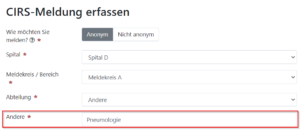
- H-CIRS: Configuration via new-win: An additional field can be displayed in the organization selection so that, for example, the “Event location: Other” can be queried
- H-CIRS: Configuration via new-win: Title of the closing text when a CIRS message is successfully sent can be customized.

- H-CIRS: Configuration via new-win: Subject can be adjusted when forwarding cases and forwarding measures.

- H-IDEA: Case can be forwarded by email.
- H-AGGRESSION: Case title can be set.

- H-FEEDBACK: Time period definable in the questionnaire administration, how long a closed case is displayed on the public case list.

- H-VIGILANCE: When sending e-mails to Swissmedic, a warning is displayed if the maximum message size of 25 MB is exceeded.
- H-VIGILANCE Materiovigilance: Fields for information from the notifier are hidden during the transmission process, as this information is not transmitted to Swissmedic.
05.05.2023 – Version: 26697.1.0
New
- H-AGGRESSION: A case can be forwarded by the person in charge and the processor.
- H-AGGRESSION: The legend of the severity can be edited by the Aggression Administrator.
- H-AGGRESSION: Age group can be configured by the aggression administrator.
- H-AGGRESSION: Configuration via new-win: The aggressors can be renamed.
- H-AGGRESSION: Configuration via new-win: If an aggressor is selected, additional free text fields can be displayed.
- H-CIRS: Configuration via newwin: Title of the closing text can be set customer-specific.
- H-VIGILANCE Hemovigilance: New version of the hemovigilance form deposited.
Error corrections
- H-CIRS: When filtering the list of reports, the names of the reports were not displayed correctly.
- H-CIRS: Organizational levels were not sorted correctly in the preselection for the reports.
- H-CIRS: Order of cases on the public case list corrected.
- H-AGGRESSION: Time was not displayed correctly on the printout.
06.04.2023 – Version: 2023.90.25654
New
- H-CIRS: The information from the case creator as to whether the case should be published or not is now always visible to the processor.
- H-IDEE: Free text fields can be displayed on the entry form.
- H-VIGILANCE: Free text fields can be displayed on the entry form.
- H-VIGILANCE Hemovigilance: Comment field for case processing added.
- H-VIGILANZ Near Miss: Comment field for case processing added.
Error corrections
- H-CIRS: When case forwarding, not all organizational units were displayed in certain configurations.
- H-FEEDBACK: Error handling of invalid e-mail addresses improved.
- Spitex platform: Cases could not be correctly forwarded to CIRRNET.
23.03.2023 – Version: 2023.76.24957
New
- H-CIRS: Forwarded cases and measures can only be accessed by internal users within your company network. If you wish to send cases and measures to external users outside your company network and without your own login, please contact the newwin service desk.
- H-CIRS: e-mail template for incoming cases can be customized.
- H-CIRS: E-mail template for sending measures with case number added.
- H-AGGRESSION: The person entering the data can upload documents when entering the case.
- H-AGGRESSION: Cases can be categorized by the processor.
- H-FEEDBACK: The case number is displayed in the automatic receipt and completion confirmation.
- H-IDEE: Final text when submitting an idea can be customized.
- H-VIGILANCE Materiovigilance: The name of the “Internal identification number” field can be adapted.
Error corrections
- H-CIRS: Report “Tabular Categorization” showed incorrectly added values.
- H-CIRS: French-speaking users could not edit the German names in the categorization tree correctly.
- H-FEEDBACK: Advanced evaluation did not display all text responses under certain circumstances.
- H-IDEA: Responsible person was not correctly informed by e-mail when the editor closes an idea.
- H-IDEA: Message could not be entered correctly if the implementation duration field was left blank.
28.02.2023 – Version: 2023.59.24056
Error corrections
- H-FEEDBACK: Fixed an error that occurred when saving an edited case.
15.02.2023 – Version: 2023.41.23635
New
- H-CIRS: The occupational group can be changed for a case in order to correct incorrectly assigned occupational groups.
- H-CIRS: Configuration via newwin: Depending on the configuration, internal comments are displayed or hidden for users who open forwarded cases or measures.
- H-FEEDBACK: Case handlers can transfer incorrectly assigned cases.
- H-FEEDBACK: Evaluations can be carried out directly on all questionnaire versions.
- H-FEEDBACK: Configuration via newwin: Template for sending measures can be customized.
- H-FEEDBACK: Case number can be used in e-mail template for sending measures
- H-IDEE: Configuration via newwin: Template for sending measures can be customized.
- H-IDEE: Case number can be used in e-mail template for sending measures
- H-VIGILANCE Pharmacovigilance: The ElViS number can be stored in case processing if E2B export is activated
- H-VIGILANCE Pharmacovigilance: The weight of the patient can be entered with decimal separators so that the weight of newborns can be recorded correctly.
Error corrections
- H-CIRS: Public CIRS case could not be viewed correctly via “Track case code”.
12.01.2023 – Version: 22055.1.0
New
- H-FEEDBACK: Configuration to send automatic receipts and closing confirmations to the detector.
- H-FEEDBACK: Improved display so that answer choices are displayed correctly for users with screen readers.
01.12.2022 – Version: 2022.311.20694
New
- H-CIRS: Configuration via newwin: Free text fields can be displayed on the entry form.
- H-CIRS: An additional free text field can be displayed when specifying the occupational group “Other”.
- H-CIRS: Configuration via newwin: For customer-specific additional questions, an additional free text field can be displayed for the answer “Other”.
- H-IDEE: The idea can be opened and edited directly from a measure.
- H-VIGILANCE Pharmacovigilance and haemovigilance: Cached messages can be deleted by those responsible.
Error corrections
- H-VIGILANCE Hemovigilance: Completion date was not displayed in the Excel export.
- H-VIGILANCE Hemovigilance: Recorded case could be incorrectly set to the status “Cached”.
07.11.2022 – Version: 2022.311.20694
Error corrections
- H-VIGILANZ Pharmacovigilance: sender incorrectly received no confirmation of receipt when a case is imported into ElViS.
03.11.2022 – Version: 2022.306.20599
New
- H-AGGRESSION: User instructions can be accessed via the question mark symbol in the top right-hand corner.
- H-AGGRESSION: Configuration via newwin: Introductory text on entry form can be set customer-specifically.
- H-AGGRESSION: New field on the entry form so that the person entering the case can enter comments on the case.
- H-AGGRESSION: Excel export of all recorded data can be created.
- H-REPORT: If a measure is forwarded by e-mail, the recipient cannot forward the measure again.
- H-REPORT: On the user export, each role is displayed on a single line for better filtering.
- H-VIGILANCE Hemovigilance: Added information text on possible input formats for date fields.
- H-VIGILANCE Materiovigilance: Configuration via newwin: An additional field for the internal identification number of devices can be displayed on the data entry form.
- H-VIGILANCE Materiovigilance: Configuration via newwin: The information text describing the affected medical device can be customized.
- H-VIGILANZ: Configuration via newwin: Subject of e-mails to Swissmedic can be customized.
24.10.2022 – Version: 2022.273.19651
Error corrections
- H-AGGRESSION: Users with the combination of Responsible and Head of Security authorizations could not edit the field “Comment Head of Security”.
06.10.2022 – Version: 2022.271.19613
New
- H-REPORT all products: If a case is forwarded by e-mail, the case recipient cannot forward the case again.
- H-AGGRESSION: Manual can be called up via the application.
- H-VIGILANCE Materiovigilance: A reporting deadline can be entered as the person responsible or processor if a case is subject to reporting. The persons responsible and/or processors are informed by e-mail before the deadline expires.
Error corrections
- Portal display and case processing improved for small screens.
- H-CIRS: Occupational groups were not exported correctly on the Excel export if the occupational group was set as a required field on the data entry form.
12.09.2022 – Version: 2022.255.18996
New
- H-REPORT all products: A user can view his role assignment to the individual organizational units in his profile.
- H-VIGILANZ Pharmako: Month and year information can be stored for date fields.
23.08.2022 – Version: 2022.8.18.0
New
- H-CIRS: On the Excel export, the columns for organizational assignment are always displayed in separate columns.
- H-VIGILANCE: On the Excel export, the columns for organizational assignment are always displayed in separate columns.
- H-FEEDBACK: The notification settings for a questionnaire can now be set in the questionnaire administration without having to edit the questionnaire itself.
18.08.2022 – Version: 2022.9.5.957
New
- H-REPORT: For measures, it is clear to which product they belong (CIRS case, idea, vigilance report, etc.)
- H-CIRS: CIRS case can be opened for processing directly from the measure.
- H-VIGILANZ Pharmako: Selection values for “Consequences of the suspected ADR” added with activated E2B export
- H-VIGILANZ Pharmako: Text can now be entered in the “Pregnancy (last period on)” field.
- H-FEEDBACK: Display of the printout of a received message adapted so that responses to free text fields are easier to read.
04.08.2022 – Version: 2022.9.5.914
New
- H-CIRS: During case assignment and case transfer, the e-mail notification shows which user has made the assignment.
- H-IDEE: Configuration via newwin: Free text fields can be added which can be displayed on the entry form.
Error corrections
- H-VIGILANCE Pharmacovigilance: Correction E2B export so that the case can be imported into “VigilanceONE Ultimate”
- H-VIGILANCE: Case expression did not work correctly for customers with different access addresses for H-CIRS and H-VIGILANCE
07.07.2022 – Version: 2022.9.5.860
New
- H-REPORT: All organizational affiliations of the user are displayed in the user profile.
- H-CIRS: If the “Two-step deletion process” configuration is activated, a reason for deletion must be specified when requesting deletion.
- H-CIRS: Configuration via new-win: The name of the “What happened” field can be customized.
- H-VIGILANCE: Pharmacovigilance: Printout added so that the field “Name ADR” is displayed on the printout.
Error corrections
- H-IDEA: Fields for the planned procedure were not displayed correctly in case processing.
- H-VIGILANCE: Case number prefix was not displayed correctly on expression
28.06.2022 – Version: 2022.9.5.784
New
- H-CIRS: Configuration via newwin: A prefix can be set for the case number, for example case number “CIRS-24”
- H-VIGILANCE: Configuration via newwin: A prefix can be set for the case number, for example case number “MATERIO-24”
- H-VIGILANCE: “All cases” list added so that an Excel export can be created for all cases regardless of the case status.
Error corrections
- H-CIRS: When deleting a case, the user was incorrectly redirected to the “Close window” page.
- H-CIRS: During Excel export, the “Time” field was not exported correctly if the field was set as a required field.
23.06.2022 – Version: 2022.9.5.643
Error corrections
- H-CIRS: Case number was not displayed correctly for e-mail notification of overdue measure.
16.06.2022 – Version 2022.9.5.541
New
- H-CIRS: Printout of CIRS case added so that all case information is included.
- H-CIRS: The advanced search can now be filtered by case title.
- H-CIRS: Configuration via new-win: The name of the field “Reference of the detector to the event” can be adjusted.
- H-CIRS: Configuration via new-win: The name of the “Event location” field can be customized.
- H-CIRS: Configuration via new-win: Additional field “E-mail address” can be displayed on the entry form.
- H-CIRS: Reports and newsletters can now be filtered down to the department level.
- H-FEEDBACK: The case status on the public case list is displayed in color.
- H-VIGILANCE Hemovigilance and Near-Miss: The digitally signed form can be uploaded and sent via the application.
- H-VIGILANCE Materiovigilance: Swissmedic form adaptation implemented with regard to the Ordinance of May 4, 2022 on in vitro diagnostic medical devices (SR 812.219)
- H-VIGILANCE Materiovigilance: A notification can indicate whether it concerns a medical device or in-vitro diagnostics.
- H-VIGILANCE Materiovigilance: Separate contact persons for medical devices and in-vitro diagnostics can be entered in the Swissmedic contact data.
- H-VIGILANCE Pharmacovigilance: The occupational groups on the entry form can be configured by the pharmacovigilance administrator.
Error corrections
- H-CIRS: CIRS case could be incorrectly closed without entering a case title.
- H-VIGILANCE Pharmacovigilance: In the Pharmacovigilance ELViS export, various fields were not exported correctly.
- H-VIGILANCE: Fixed an issue to correctly assign cases to the organization for customers with hopped server configurations.
03.05.2022 – Version 2022.9.5.317
Error corrections
- H-FEEDBACK: Users were incorrectly logged out when completing the questionnaire.
Version 04.2022
New
- H-CIRS: In the “CIRS evaluation” report, the organizational assignments of cases (hospital/reporting area/department level) are now shown on separate pages.
- H-FEEDBACK: The feedback administrator can define free text fields per questionnaire for case processing so that additional information can be recorded.
Version 03.2022
New
- H-CIRS: When creating newsletters, you can filter for reporting groups and departments.
- H-CIRS: Case can be closed directly via the button next to Status.
- H-CIRS: Configuration option via new-win: Event location can be set as a mandatory field.
- H-CIRS: Configuration option via new-win: Depending on the configuration, cases forwarded by e-mail can be closed by the processor.
- H-CIRS: Configuration option via new-win: Depending on the configuration, cases forwarded by e-mail can be commented on by the reader.
- H-CIRS: Configuration option via new-win: Processors can reactivate closed cases.
- H-VIGILANCE: Configuration option via new-win: Recipients of measures can open the vigilance case.
- H-VIGILANZ Pharmacovigilance: Configuration option via new-win: notifications can be exported in E2B format for the Swissmedic ELViS portal.
- H-VIGILANCE Hemovigilance: Swissmedic registration form updated to the latest version.
- H-VIGILANZ Near Miss: Swissmedic registration form updated to the latest version.
- H-AGRESSION: Configuration option via new-win: Additional free text fields can be stored on the form.
Error corrections
- H-CIRS: Event locations in the report were not filtered correctly.
- H-CIRS: Performance optimization when searching the case list for case handlers
- H-VIGILANCE Materiovigilance: Missing column title for organization assignment corrected.
Version 02.2022
Error corrections
- H-CIRS: Selection “Hospital” on the entry form was not displayed correctly in various configurations.
- H-CIRS: Document list for users with the role “Observer” was not displayed correctly.
- H-CIRS: Sorting on the list of open cases for users with the role “CIRS Circle” corrected.
- H-CIRS: Call-up speed of the “Completed measures” list improved.
Version 01.2022
Error corrections
- H-CIRS: List of shared cases for CIRS circles was not displayed correctly in various configurations.
- H-FEEDBACK: Editing group was not automatically assigned.
Version 12.2021
New
- H-CIRS: Configuration option via new-win: Additional free text fields can be stored for case processing so that the person responsible and the processor can enter additional information.
- H-CIRS: Configuration option via new-win: Depending on the configuration, mandatory fields only have to be filled in when the case is closed.
- H-CIRS: Configuration option via new-win: Query of the patient’s gender on the entry form.
- H-CIRS: Configuration option via new-win: Query regarding patient participation on the entry form.
- H-CIRS: Configuration option via new-win: If triage is activated, the fields for organization assignment can be displayed on the entry form.
- H-CIRS: When sending measures, contacts can be selected from the contact list in the CC field.
- H-VIGILANCE: Configuration option via new-win: Additional free text fields can be stored for case processing so that the person responsible and the processor can enter additional information.
- H-VIGILANCE: The associated notification area/area is displayed on the lists of measures.
- H-VIGILANCE: Measures can now be forwarded and deleted.
- H-VIGILANCE: Configuration option via new-win: An introductory text can be stored in the upper area of the case processing, which is displayed in the processing form in order to display notes for responsible persons and processors.
- H-VIGILANZ Materio: An example image of packaging is displayed on the entry form.
- H-VIGILANZ Materio: Configuration option via new-win: When sending a message, a confirmation prompt can be displayed to confirm that all relevant information has been filled in.
- H-FEEDBACK: One public case list can be activated per questionnaire.
- H-FEEDBACK: A separate numbering with prefix can be selected for each questionnaire.
- H-FEEDBACK: Performance improvement when calling up the list of cases.
- H-FEEDBACK: For each questionnaire, the cases being processed and the completed cases can be called up in separate lists.
- H-FEEDBACK: For free text fields, the field content can be specified so that information such as names or telephone numbers are filled in automatically.
Version 10.2021
Error corrections
- H-CIRS: Links to newly recorded cases could not be accessed correctly under certain circumstances.
- H-FEEDBACK: Cases could not be opened correctly by the processor.
- H-FEEDBACK: Email subject incorrectly contained a wildcard.
Version 09.2021
New
- H-CIRS: Configuration option via new-win: A two-stage deletion process can be activated so that cases can be deleted according to a four-eyes principle.
- H-CIRS: Configuration option via new-win: The reporter can propose a case title on the CIRS case entry form.
- H-CIRS: The CIRS categorization tree and the occupational groups can now only be managed by the “H-CIRS administrator” role to ensure that only authorized persons make changes.
- H-CIRS: Configuration option via new-win: The “Comment on case” field can be displayed as a column on the public case list.
- H-CIRS: Configuration option via new-win: If several public case lists are available, you can configure which case lists are available for selection by the case processor.
- H-CIRS: Configuration option via new-win: It is possible to configure which user roles are allowed to change a CIRS message received so that manipulation can be prevented.
- H-CIRS: All available organizational nodes are always displayed during case assignment.
- H-CIRS: Configuration option via new-win: The menu item “Record CIRS case” can be renamed.
- H-CIRS: Help texts are displayed for column titles in the case list so that it is clear what the function of the column is.
- H-FEEDBACK: For a questionnaire, you can configure whether cases received can be forwarded by e-mail.
- H-VIGILANCE: When a report is sent to Swissmedic, the e-mail addresses of the contact person on file and of the case handler who sends the report are stored as the reply address. As a result, Swissmedic sends the confirmation of receipt to the respective persons.
Error corrections
- H-CIRS: Display correction when “Forward case” so that unnecessary scroll bars are
- H-VIGILANCE Materiovigilance: Expression did not work correctly on the list of closed cases.
not displayed
Version 07.2021
New
- H-CIRS: Configuration option via new-win: A standard language can be stored in the reporting circles.
- H-CIRS: Measures are also displayed on the first book from the Excel export.
- H-FEEDBACK: Closed cases can be reactivated.
- H-VIGILANCE Materiovigilance: When printing, a note is displayed on how to open the PDF form.
- H-VIGILANCE: Name of the internal contact person added below the signature on the printout of the Swissmedic form.
Version 06.2021-02
New
- H-CIRS: Performance improvements when calling up case lists with a large number of cases.
- H-CIRS: Configuration option via newwin as to which roles receive an e-mail notification when messages are overdue so that processors can also be informed.
- H-CIRS: Configuration option via newwin, which roles can see the name of non-anonymous reporters, so that it can be restricted whether the processor and observer can see this information
- H-CIRS: Configuration option via newwin, which columns are displayed on the public case list.
- H-CIRS: Configuration option via newwin as to which authorizations are available when forwarding a case. It is now possible to select whether the recipient receives editing or reading rights.
- H-CIRS: Configuration option via newwin that CIRS cases can no longer be deleted.
- H-FEEDBACK: Text responses are displayed in the evaluation.
- H-FEEDBACK: Questionnaires that are no longer required can now be deleted.
- H-VIGILANZ Materio: Configuration option via newwin as to whether the text field “Reason supplier not informed” is displayed on the entry form.
- H-VIGILANCE Materio: “Possible serious consequences” field is displayed in the Excel export.
Error corrections
- H-CIRS: Cases on the public case list could not be opened correctly if the mobile access was made via a different additional address (URL) than the internal access.
Version 06.2021-01
Error corrections
- H-VIGILANCE: Automatic message assignment to hospital after registration did not work correctly with specific configurations.
Version 05.2021
New
- H-CIRS: Users with the observer role can call up the extended case search so that the cases can be better evaluated.
- H-CIRS: Users with the observer role can now call up the reports.
- H-CIRS: Configuration option so that processors can be informed by e-mail when new measures are stored.
- H-FEEDBACK: For a questionnaire, you can specify whether the user can subsequently change the answers received.
- H-FEEDBACK: Excel export adapted so that the evaluation is easier to read.
- H-VIGILANCE: The introductory text of the data entry forms can be customized.
- H-VIGILANCE: Measures can be added for near miss cases.
- H-VIGILANCE: Security query when sending to Swissmedic so that cases are not sent to Swissmedic by mistake.
- H-VIGILANCE Materiovigilance: New data entry form in accordance with Swissmedic specifications.
- H-VIGILANCE Materiovigilance: Character limit of various fields adjusted so that longer texts can be stored.
Version 04.2021
Error corrections
- H-FEEDBACK: Error correction so that the raw data of the questionnaire responses can be exported correctly as an Excel file.
New
- H-CIRS: Configuration option – Occupational group can be set as a mandatory field during case entry.
- H-FEEDBACK: An individual completion message can be stored for the person completing the questionnaire when it is sent.
- H-FEEDBACK: Configuration option per questionnaire as to whether the person responsible is informed when the processor has closed a case.
- H-FEEDBACK: If the person responsible completes a questionnaire within H-FEEDBACK, they will not be redirected to a stored website after completion.
- H-VIGILANCE Materiovigilance: When a report is entered, a copy can be sent by e-mail to a desired e-mail address so that the report can be forwarded to a laboratory, for example.
- H-VIGILANCE Pharmacovigilance: When entering a notification, a copy can be sent by e-mail to a desired e-mail address so that the notification can be forwarded to a laboratory, for example.
Version 03.2021
Error corrections
- H-CIRS: Configuration of rights type for sent case: Observer:
A case forwarded to an observer by e-mail could be erroneously supplemented with measures under specific circumstances. - H-FEEDBACK: Questionnaire with sub-questions could not be filled in correctly.
Version 02.2021
New
- H-CIRS: Depending on the configuration, the entire organizational assignment can be displayed in the “Area / Reporting area” column in the processing list so that it is immediately clear where the case is attached (for example: “Gerzenstein location / Pharmacy reporting area / House A incident location”).
- H-CIRS: When recording a case, free text can be entered in the “Age of patient” field, depending on the configuration, so that the age can be specified more precisely (e.g. “6 months”).
- H-CIRS: When a case is re-released to the CIRS circle, an e-mail notification can be triggered manually.
- H-FEEDBACK: All responses received can be exported to Excel.
- H-VIGILANCE: Depending on the configuration, the entire organizational assignment can be displayed in the “Area / Reporting area” column in the processing list so that it is immediately clear where the case is attached (for example: “Gerzenstein location / Pharmacy reporting area / House A incident location”).
- H-VIGILANCE: In the entry form, the notifier can attach documents which are then available to the person responsible for vigilance.
- H-VIGILANCE Hemovigilance: When a report is entered, a copy can be sent by e-mail to a desired e-mail address so that the report can be forwarded to a laboratory, for example.
- H-VIGILANCE Haemovigilance: When entering a report, the entire patient name can be entered instead of just the initials, depending on the configuration, so that the case can be tracked more easily internally. When sending to Swissmedic, only the initials are passed on.
- H-VIGILANCE Hemovigilance: Additional fields added for laboratory tests not performed.
- H-VIGILANCE Hemovigilance Near Miss: Legend of severity levels added to the data entry form.
- H-VIGILANCE Pharmacovigilance: Adjustments to Swissmedic form from 01.01.2021 adopted.
Error corrections
- H-AGGRESSION: Error on printout corrected.
- H-AGGRESSION: Error on reports corrected.
- H-CIRS: In the “Categorization graphical” report, the severity level is no longer displayed within the categorization evaluation, as this would have distorted the evaluation.
- H-VIGILANCE Hemovigilance: When selecting gender, the data entry form was called up at a different point.
- H-VIGILANCE Materiovigilance: The form can be opened correctly in the browser after printing.
- H-VIGILANCE Materiovigilance: More than 50 characters can now be entered for the supplier’s e-mail address.
Version 01.2021
Error corrections
- H-CIRS: “Categorization tabular” report corrected so that it is executed without errors.
- H-VIGILANCE: Missing French translation added to the contact details for Swissmedic and to the categorization tree.
Version 12.2020
Error corrections
- H-IDEE: Fixed error when creating reply letter.
Version 11.2020
New
- H-IDEE: The decision to implement or reject an idea can be sent by e-mail or as a letter.
- H-AGGRESSION: Editor and observer role available.
- H-AGGRESSION: Measures can be sent by e-mail.
Error corrections
- H-CIRS: CIRS reports could not be recorded correctly under certain circumstances.
- H-CIRS: Filtering of closed cases corrected.
Version 10.2020
New
- General: Font size adjusted for better readability.
The following configuration options can now be activated in consultation with new-win:
- H-VIGILANCE: Hospital, reporting area and event location can be queried during vigilance case recording.
- H-VIGILANCE: Organizational structures integrated so that case processing can be distributed to individual locations or departments, for example.
- H-VIGILANCE: Individual contact data can be set for Swissmedic for each organization. This means, for example, that different contact information can be stored for several hospital locations.
- H-VIGILANCE: The person responsible for vigilance can be set as triage so that they can distribute the vigilance messages to processing groups.
- H-VIGILANCE: Configuration option as to whether vigilance messages must be marked as subject to transmission.
Error corrections
- H-CIRS: Troubleshooting the “Tabular Categorization”
- H-FEEDBACK: When printing, the name of the idea giver is displayed correctly.
- H-VIGILANCE: PDF printouts of Swissmedic forms could not be
- H-AGGRESSION: Sorted order of the stored stations corrected
Report
opened correctly